
One of the most confusing warnings in Google Search Console is the soft 404.
Mainly because the page usually exists. It loads fine. There’s content on it.
So people naturally think: “Why is Google saying this page doesn’t exist?”
A soft 404 often means Google has looked at the page and decided it doesn’t offer enough value to index properly.
That’s very different from a normal 404, where the page is genuinely missing.
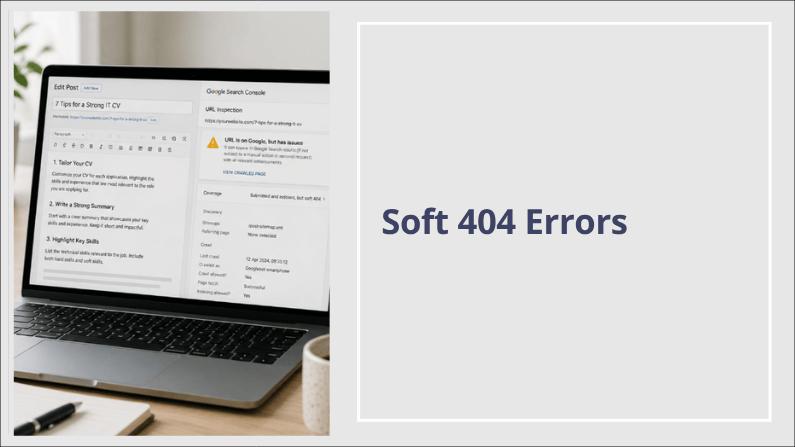
Soft 404 vs Normal 404: What’s the Difference?
A normal 404
A normal 404 means:
- the page genuinely does not exist
- the server correctly reports that to Google
This is normal website behaviour.
Examples include:
- deleted products
- old blog posts
- removed service pages
Not every 404 needs fixing.
Sometimes leaving a proper 404 alone is the correct thing to do.
A soft 404
A soft 404 is different.
The page technically exists and loads normally.
But Google decides the page:
- feels thin
- lacks useful information
- doesn’t satisfy the search properly
- or isn’t strong enough to index confidently
So:
- humans see a page
- Google sees weak value
That’s why these warnings confuse so many people.
Why Pages Get Flagged as Soft 404s
There’s rarely one single reason.
Usually it’s a mix of signals.
Thin or unfinished content
This is one of the most common causes.
Examples:
- very short blog posts
- placeholder pages
- empty category pages
- pages with very little original information
Google increasingly wants pages to feel complete and genuinely useful.
Not just present.
Generic AI-generated content
AI itself is not automatically a problem.
But low-effort AI content can become one very quickly.
Especially when websites publish:
- repetitive blog posts
- surface-level advice
- rewritten content
- pages with no real examples or insight
You’ve probably read articles where everything sounds polished, but somehow still feels empty.
Google is getting much better at spotting that kind of content.
Especially on newer websites without much authority behind them yet.
Weak search intent match
Sometimes the content itself is reasonable.
But it doesn’t fully answer what the visitor was actually looking for.
For example:
Someone searches:
“How to fix WordPress redirect loops”
But lands on:
- vague advice
- broad explanations
- no practical troubleshooting
- no examples
Google may decide the page isn’t useful enough to keep indexed strongly.
A Real Example
I recently reviewed a page with well over 1,500 words on it.
Technically, nothing was broken.
But the content was:
- broad
- generic
- very similar to hundreds of other pages online
The page existed perfectly fine.
Google simply wasn’t convinced it offered enough unique value.
That’s the part many people miss with soft 404s.
It’s often less about technical errors and more about perceived usefulness.
Can Good Pages Trigger Soft 404s?
Yes.
And this is where things get frustrating.
Sometimes decent pages get flagged temporarily because:
- the website is new
- Google is still testing quality signals
- indexing is incomplete
- authority is still building
New websites especially can throw up strange warnings early on.
That’s why context matters.
When You Should Pay Attention
A soft 404 is more worth investigating if:
- an important service page is affected
- rankings suddenly dropped
- the page used to perform well
- the page genuinely feels weak or unfinished
- Google repeatedly removes it from the index
That’s usually a sign the page needs improving properly.
When It May Not Matter Much
Sometimes soft 404s are fairly low priority.
Especially when:
- the site is brand new
- the page is still being expanded
- it’s an archive or utility page
- the warning appears briefly then disappears
Search Console reports a huge amount of information.
Not every warning needs urgent action.
What Usually Helps Fix a Soft 404
The fix is rarely technical.
Usually it comes down to improving the actual usefulness of the page.
That might mean:
- expanding thin content
- adding real examples
- improving internal links
- tightening the topic
- removing weak pages
- combining overlapping content
Sometimes improving the overall quality of the site helps too.
One Mistake I See Constantly
People chase technical SEO fixes when the real issue is the content itself.
They:
- resubmit URLs repeatedly
- clear cache
- regenerate sitemaps
- tweak plugins
…but the page still says very little.
Google can only rank pages it believes genuinely help people.
The Reality With AI Content
There’s a lot of noise online about AI right now.
The reality is more balanced.
AI can absolutely help with:
- planning
- outlining
- brainstorming
- speeding up drafts
But publishing large amounts of generic AI-written content without proper editing, experience, or insight behind it is risky.
Especially for small business websites trying to build trust.
The strongest content still tends to include:
- real examples
- specificity
- practical advice
- personal experience
- human judgement
That’s the part AI still struggles to fake convincingly.
A Better Way to Think About Soft 404s
A soft 404 is often less about:
“Does this page exist?”
And more about:
“Does this page deserve to rank?”
That’s usually the better way to look at it.
If You’re Unsure What’s Causing It
Sometimes it helps to stop staring at Search Console and have somebody review the page properly instead.
You can start with a
free website health check
That usually makes it much clearer whether:
- the issue is technical
- content-related
- temporary
- or simply normal Search Console noise
Final Thoughts
Soft 404s sit in an awkward middle ground.
The page exists.
But Google isn’t fully convinced by it.
Sometimes that’s a genuine quality issue.
Sometimes it’s temporary.
Sometimes it’s simply a newer website still building authority and trust.
The important thing is not reacting blindly to every warning.
Look at the page honestly:
- Is it useful?
- Is it specific?
- Does it genuinely help someone?
- Would you bookmark it yourself?
That’s usually a better test than obsessing over the wording inside Search Console.
→ Read more about other Search Console Errors here