
Format Text Without Damaging Your SEO
If you are editing your own website, headings are easy to change.
Make something bigger.
Add a new section.
Tidy wording.
Just remember that headings are not just styling tools. They define the structure of your page, and that structure affects how search engines understand it.
What Headings Actually Do
When you look at your page, you see layout. Search engines see hierarchy.
Headings help them understand:
- What the page is mainly about
- Which sections support that topic
- How information is organised
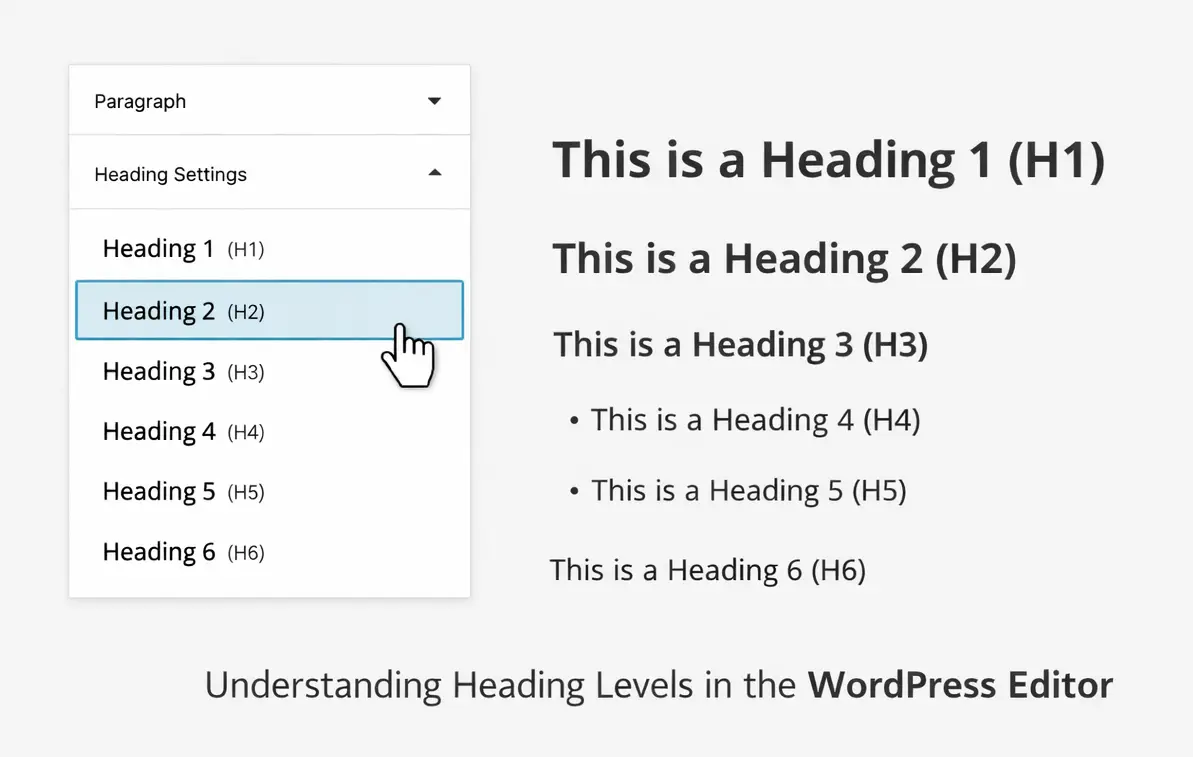
This is what that looks like in the WordPress editor.
That small dropdown is not just changing text size. It is defining the outline of your page.

The Simple Structure Rule
You do not need anything complicated here.
One H1 Per Page
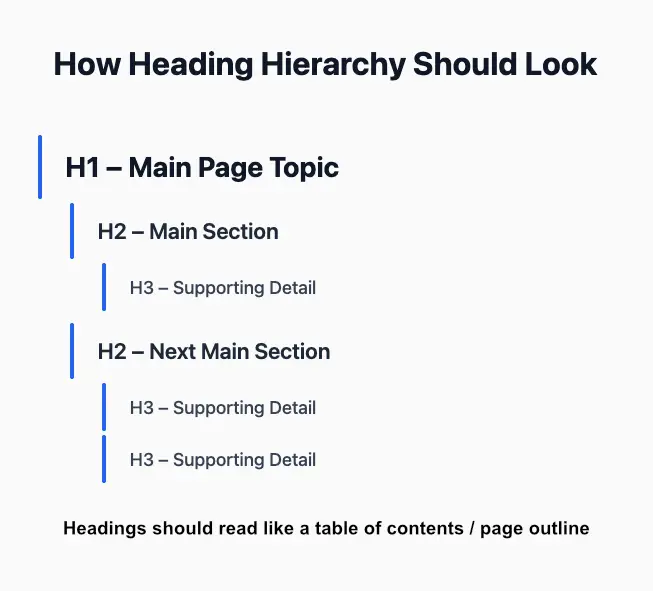
Your H1 is your main headline. It should describe the core topic of the page. There should only be one.
If your site was professionally built, that H1 was likely chosen deliberately around your main topic or keyword.
H2s Divide the Page Into Main Sections
H2 headings break your page into clear parts. Each one should relate directly to the main topic. For example: H1: Website Care Plans
H2: What Is Included
H2: Who It Is For
H2: Frequently Asked Questions Each H2 supports the H1.
H3s Add Detail
H3 headings sit underneath H2s and expand on them. They add depth without changing the main focus. When headings follow a logical order, the page reads like a clear outline. That is exactly what you want.
Common Mistakes (That Are Easy to Fix)
Most heading issues happen when styling and structure get blurred.
- Using H2 just to make text bigger
- Skipping heading levels because it “looks better”
- Adding multiple H1s by accident
- Turning short labels into headings
These are normal mistakes. They are also simple to correct once you understand the difference.
Styling and Structure Are Not the Same
Headings control structure.
Design settings control appearance. If you want text to look larger, you can adjust:
- Font size
- Weight
- Spacing
- Section styling
You do not need to change the heading level. Your page can look clean and modern while keeping its structure intact.
How to Make Text Stand Out (Without Using a Heading Tag)
If you are using Divi, you can make a paragraph more prominent by:
- Increasing font size in the Design tab
- Adjusting spacing
- Changing font weight
- Adding a background colour to the section
Structure stays intact.
Your page still looks polished.
If You Are Managing Your Own Site
You do not need to avoid editing your website.
You just need to understand what affects structure and what affects styling.
- Improving wording is usually fine.
- Adding FAQs can be helpful.
- Expanding sections thoughtfully can strengthen relevance.
But changing headings, URLs or internal links without a plan can create unintended consequences.
Pause before making structural changes.
A Quick Heading Check
Before publishing changes, ask:
If your headings read like a tidy outline, your structure is strong.
Use this free tool to check your heading structure: SEO Review Tools